
Introduction
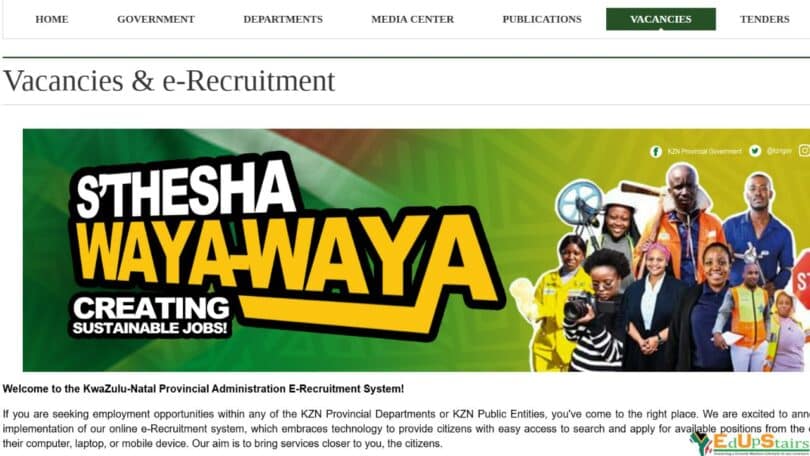
In KwaZulu-Natal (KZN), the provincial government has made great strides to simplify the job application process for citizens through the launch of the e-Recruitment portal. This platform is designed to be a one-stop digital hub where job seekers can register, search, and apply for government job opportunities, including entry-level positions, internships, learnerships, and programmes under the Expanded Public Works Programme (EPWP).
Whether you are a matriculant looking for your first job, a graduate seeking workplace experience, or an unemployed individual searching for a learnership or skills programme, this article will guide you step-by-step on how to register on the KZN e-Recruitment database and take full advantage of the available opportunities.
Understanding the KZN e-Recruitment System
The KwaZulu-Natal e-Recruitment portal is managed by the Office of the Premier and serves as the official platform for public sector job applications across all provincial departments and entities. It offers job seekers access to a variety of employment and development opportunities including:
- Internships (for graduates and diploma holders)
- Learnerships (for those with Grade 12 or NQF level 4)
- SETAs-funded programmes
- EPWP (Expanded Public Works Programme for temporary work)
- Entry-level public service jobs
How to Access the e-Recruitment Portal
To begin your registration, you must first access the portal through an internet-connected device (computer, smartphone, or tablet):
Website: https://www.kznonline.gov.za
Look for the “e-Recruitment” tab or use the direct link to the portal when advertised in job circulars.
Step-by-Step Guide to Register
Step 1: Create an Account
- Click on “Register” or “Sign Up”.
- Fill in your basic personal details:
- Full name
- South African ID number
- Email address
- Mobile number
- Password
- Confirm your registration through a verification code sent to your mobile or email.
Step 2: Complete Your Profile
Once registered, log in to complete your profile:
- Demographic Information (Race, Gender, Disability status)
- Residential Address
- Education History (from Grade 12 upwards)
- Employment History (if any)
- Skills and Competencies
- Preferred Job Categories (e.g. Administration, Community Work, Data Capturing)
Tip: Make sure all your information is accurate and up to date. A completed profile increases your chances of being shortlisted.
Step 3: Upload Supporting Documents
Documents must be in PDF or JPG format. These may include:
- Certified copy of ID
- Updated CV
- Certified copies of qualifications (Grade 12, Diploma, Degree, etc.)
- Proof of residence (for EPWP or local programmes)
- Disability certificate (if applicable)
Searching and Applying for Opportunities
Navigating the Job Listings
Once your profile is complete, go to the “Vacancies” or “Opportunities” section. Use filters to search by:
- Job type (Permanent, Learnership, Internship)
- Department (e.g., Health, Education, Social Development)
- Location/District
- Application closing date
Click on a listing to view the job description, requirements, and application process. To apply:
- Click “Apply”
- Attach your documents (or use previously uploaded ones)
- Confirm and submit
You’ll receive an email or SMS confirming that your application was submitted.
Types of Opportunities Available on the Platform
Entry-Level Jobs
These are ideal for matriculants and school leavers. Roles include:
- General Workers
- Administration Clerks
- Messenger
- Cleaners
- Groundsman
Requirements: Grade 10–12, no experience for some positions
Internships
For graduates needing practical workplace experience:
- Duration: 12–24 months
- Stipends provided
- Available in departments like Health, Education, Treasury, Agriculture
Requirements: National Diploma or Degree in a relevant field, no prior work experience
Learnerships
Government collaborates with Sector Education and Training Authorities (SETAs) like:
- ETDP SETA (Education)
- HWSETA (Health & Welfare)
- LGSETA (Local Government)
You’ll receive theoretical training plus practical work experience.
Requirements: Grade 12/NQF Level 4, unemployed status, and willingness to learn
EPWP (Expanded Public Works Programme)
Provides temporary work and short-term income for the unemployed. Common roles include:
- Street cleaning
- Environmental projects
- Health outreach
- Food relief programmes
Requirements: Must be unemployed, some roles require basic literacy
SETA-Funded Skills Programmes
SETAs also fund short-term skills programmes in:
- Office Administration
- Agriculture
- Construction
- Tourism
- ICT
These are often advertised seasonally, and registration is through the same portal or via SETA partner institutions.
Benefits of Registering on the Database
- Free and centralised access to multiple departments
- Easy application tracking
- Receive notifications of new job ads
- Increased chances of getting placed in EPWP or SETA programmes
- Can apply to multiple opportunities with one profile
Additional Tips for Success
- Regularly update your profile and documents
- Use a professional email address
- Keep an eye on closing dates
- Apply for jobs where you meet the minimum requirements
- Register with your local youth office or labour centre for extra assistance
Conclusion
The KwaZulu-Natal e-Recruitment system is a powerful tool that can help you take your first step into the world of work or develop your career through learnerships and internships. With opportunities ranging from entry-level government jobs to EPWP and SETA-funded programmes, this platform is your key to accessing employment and skills development across the province.
Take advantage of this free service by registering, completing your profile, and staying alert for new vacancies. A little effort in setting up your profile today could lead to life-changing opportunities tomorrow.
EDUPSTAIRS IS A REGISTERED NON-PROFIT ORGANISATION NPO No: 232 – 182, PUBLIC BENEFIT ORGANISATION (PBO): 930066984. EDUPSTAIRS DOES NOT, IN ANY WAY OR FORM, SOLICIT MONEY OR CV’S FROM PEOPLE FOR JOBS. PLEASE BE AWARE OF PHONY JOB POSTINGS AND RECRUITMENT FRAUD. FOR MORE INFORMATION VISIT OUR SCAM/FRAUD ALERT PAGE HERE
You May Also Like…
How to Register on the Limpopo e-Recruitment Database for Government Jobs
How to Register on the Eastern Cape e-Recruitment Database for Government Jobs
Nasi Ispani Gauteng Job Portal for the Unemployed: Empowering Employment Opportunities