
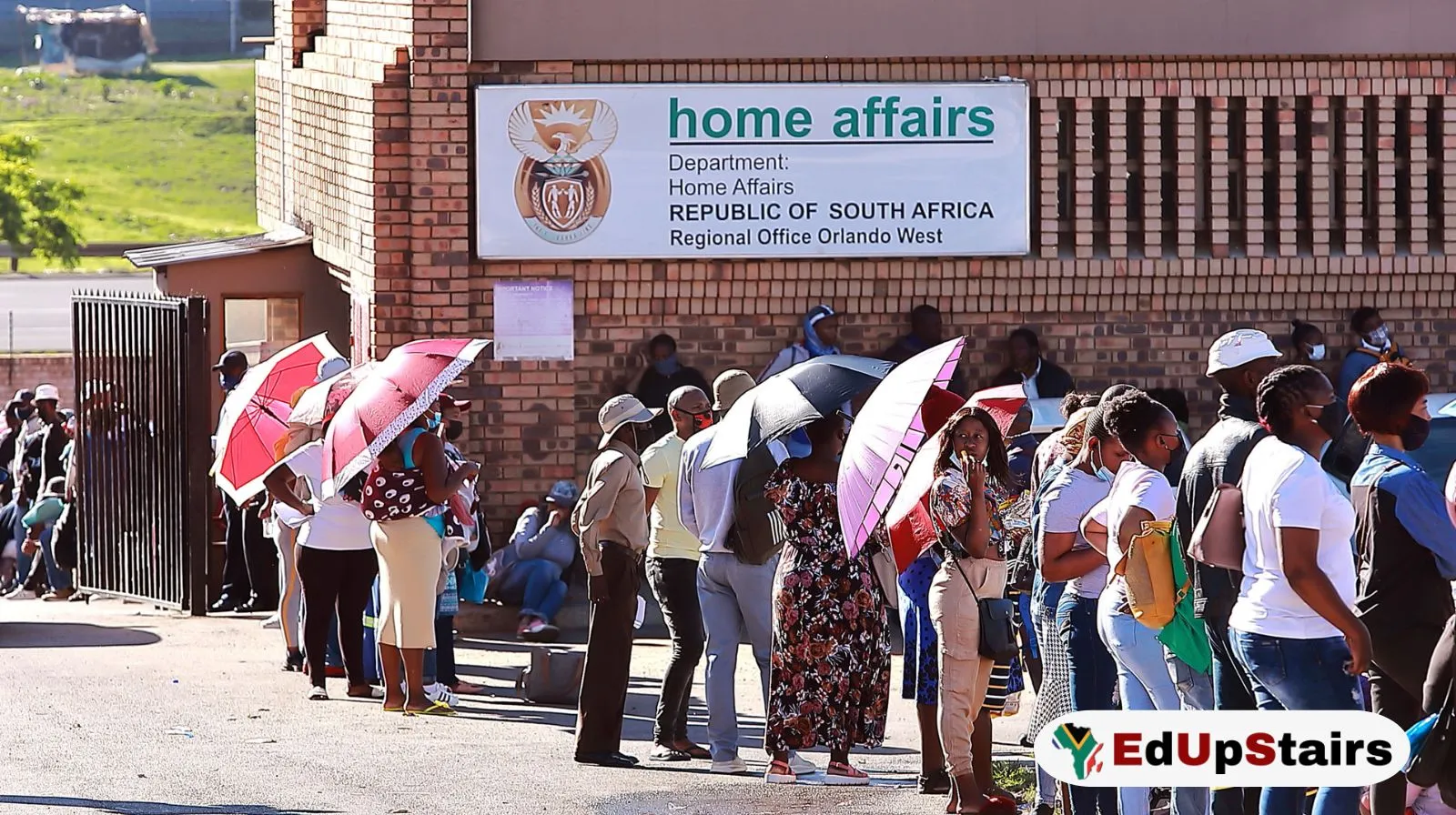
Many South Africans still spend hours standing in long queues at Home Affairs offices for services like ID applications, passport renewals, birth certificates, and smart ID collections. But what many people do not realise is that the Department of Home Affairs now allows certain appointments to be booked online before visiting an office.
If you know how to use the online booking system correctly, you can save time, avoid overcrowded offices, and make your visit much easier.
Quick Overview
| Item | Details |
| Service | Home Affairs Online Booking |
| Country | South Africa |
| Main Purpose | Book appointments to avoid queues |
| Services Available | Smart ID, Passport, Collections, Birth Certificates, and more |
| Official Website | Department of Home Affairs eHomeAffairs |
| Cost to Register | Free |
| Requirements | South African ID number, cellphone number, email address |
| Available At | Selected Home Affairs offices and partner banks |
| Booking Method | Online appointment scheduling |
Why More South Africans Are Booking Home Affairs Appointments Online
Over the past few years, Home Affairs offices have experienced extremely high demand. People often queue from very early in the morning hoping to get assisted before offices become full.
This has led many South Africans to search for faster and more convenient ways to access services.
Online booking systems are becoming more popular because they help people:
- Reduce waiting times
- Avoid arriving before sunrise
- Choose available dates and times
- Prepare documents before visiting
- Avoid unnecessary repeat visits
- Access some services through banks instead of crowded offices
For students, job seekers, graduates, and workers who cannot afford to lose an entire day in a queue, online bookings can make a major difference.
What Is eHomeAffairs?
Department of Home Affairs created the eHomeAffairs platform to digitise some of its services.
The system allows South Africans to:
- Apply for Smart ID cards
- Apply for passports
- Pay online
- Upload supporting information
- Book appointments
- Track applications
- Book collections
- Use participating bank branches
The system is especially useful for people applying for:
- First Smart IDs
- Passport renewals
- Lost or damaged IDs
- Passport collections
- Certain civic services
Step-by-Step: How to Book a Home Affairs Appointment Online
Step 1: Visit the Official eHomeAffairs Website
Go to: eHomeAffairs Portal
Always make sure you are using the official government website to avoid scams or fake booking services.
Step 2: Register an Account
If you are using the platform for the first time:
- Click “Register”
- Enter your:
- South African ID number
- Full names
- Cellphone number
- Email address
- Password
You will receive an OTP (One-Time Pin) to verify your account.
After verification, log into your profile.
Step 3: Choose the Service You Need
Once logged in, choose the service you want.
Examples include:
- Smart ID Card
- Passport
- Child Passport
- Passport Renewal
- ID Replacement
- Collection Appointment
The system may ask for additional information depending on the service selected.
Step 4: Select an Office or Bank Branch
You will then choose where you want your appointment.
Depending on availability, options may include:
- Home Affairs offices
- Bank branches partnered with Home Affairs
Some major banks that may support eHomeAffairs services include:
- Absa
- FNB
- Nedbank
- Standard Bank
Bank branches usually provide a faster and more organised experience, but appointments are often limited.
Step 5: Pick an Available Date and Time
The system will display available appointment slots.
Choose:
- Your preferred date
- Available time slot
Morning appointments are usually better because offices become busier later in the day.
Step 6: Confirm Your Booking
After selecting your slot:
- Review your details
- Confirm the booking
- Save or print your confirmation
You may receive:
- SMS confirmation
- Email confirmation
- Booking reference number
Keep this information safe because officials may request it when you arrive.
What Documents Should You Bring?
The required documents depend on the service you booked.
Common documents include:
For Smart ID Applications
- Green ID book (if replacing)
- Birth certificate (for first-time applicants)
- Proof of payment (if applicable)
For Passport Applications
- Existing passport
- Smart ID or green ID book
- Passport photos if requested
For Child Applications
- Birth certificate
- Parent or guardian IDs
- Consent forms if applicable
Always double-check requirements on the official website before your appointment.
Can You Book Home Affairs Appointments at Banks?
Yes. Some bank branches in South Africa work with Home Affairs.
This means qualifying clients can:
- Apply for Smart IDs
- Apply for passports
- Complete biometrics
- Collect documents
This system is popular because bank branches are often:
- Cleaner
- Less crowded
- Faster
- Better organised
However, there are important limitations:
- Not all banks participate
- Not all branches offer the service
- Some banks only assist their own clients
- Appointment spaces fill up quickly
Common Problems People Experience
Although the system helps many people, users sometimes experience issues such as:
No Available Appointment Slots
This is very common.
Try:
- Logging in early mornings
- Checking different branches
- Looking for cancellations
- Trying nearby towns or cities
OTP Not Received
Sometimes SMS delays happen.
You can:
- Wait a few minutes
- Retry later
- Ensure your cellphone number is correct
Website Errors
The platform sometimes becomes slow during peak periods.
Try:
- Using another browser
- Clearing browser cache
- Trying during off-peak hours
- Using stable internet
Tips to Avoid Home Affairs Queues Completely
Here are practical strategies many South Africans use successfully:
Book Early
Appointments fill up quickly.
Try booking:
- Several weeks in advance
- Early in the morning
- Mid-week rather than Mondays
Arrive Before Your Time Slot
Even with an appointment, arriving early helps.
Try arriving:
- 30–45 minutes before your slot
Bring All Required Documents
Many delays happen because people arrive unprepared.
Double-check:
- Certified copies
- Originals
- Payment confirmations
- Photos if needed
Avoid Peak Periods
Home Affairs offices become extremely busy during:
- December holidays
- January school registrations
- NSFAS season
- University registration periods
Use Bank Branches Where Possible
Bank branches are often significantly faster than ordinary offices.
Who Should Use Online Bookings?
Online Home Affairs bookings are especially useful for:
- Students
- Job seekers
- Workers with limited leave days
- Parents with children
- Elderly people
- Passport applicants
- People renewing IDs
It can save hours that would otherwise be spent standing in queues.
Is the Home Affairs Online Booking System Free?
Yes. Creating an account and booking appointments online is free.
However, normal application fees still apply for services like:
- Passports
- Replacements
- Certain certificates
Be careful of scammers charging “booking fees” online.
Can Foreign Nationals Use eHomeAffairs?
Some services are mainly designed for South African citizens.
Foreign nationals may still need to visit offices directly for many applications.
Always verify service eligibility through official Home Affairs channels.
Why This Matters for Job Seekers and Students
Many opportunities in South Africa require:
- A valid ID
- Passport
- Birth certificate
- Updated documents
Without these documents, people can miss:
- Learnerships
- NSFAS applications
- Government jobs
- TVET admissions
- Internships
- Bursary opportunities
Knowing how to access Home Affairs services efficiently can help young people avoid delays that affect their futures.
Edupstairs Advice
At Edupstairs, we strongly encourage South Africans to use official online systems whenever possible instead of relying on middlemen or unofficial agents.
Before visiting Home Affairs:
- Prepare documents carefully
- Verify requirements online
- Book appointments early
- Keep copies of confirmations
- Save screenshots of reference numbers
Most importantly, never pay strangers who claim they can “fast-track” Home Affairs processes illegally.
Frequently Asked Questions (FAQ)
- Can I walk into Home Affairs without an appointment?
Yes, some offices still accept walk-ins, but queues can be extremely long.
- Is online booking available in all provinces?
The eHomeAffairs system works nationally, but appointment availability differs by office.
- Can I cancel or change my booking?
In many cases, yes. Log into your eHomeAffairs account to manage bookings.
- Do I need internet banking to use eHomeAffairs?
For some services, online payment options may require banking access.
- Are Home Affairs bank branches faster?
Usually yes, but appointments are limited and often fully booked quickly.
- Can I collect my ID without booking?
Some collections may still require queueing depending on the branch or office.
You can also:
- View latest Internships
- View latest Learnerships
- View Latest Bursaries
- View latest Government jobs
- View latest Company Vacancies
- View latest Municipality vacancies
- Visit the Edupstairs blog for daily updates
Disclaimer:
Edupstairs shares information for educational and awareness purposes only. Appointment availability, booking systems, fees, and Home Affairs processes may change at any time. Always confirm details through the official Department of Home Affairs and eHomeAffairs Portal before making applications or travelling to an office.
EDUPSTAIRS IS A REGISTERED NON-PROFIT ORGANISATION NPO No: 232 – 182, PUBLIC BENEFIT ORGANISATION (PBO): 930066984. EDUPSTAIRS DOES NOT, IN ANY WAY OR FORM, SOLICIT MONEY OR CV’S FROM PEOPLE FOR JOBS. PLEASE BE AWARE OF PHONY JOB POSTINGS AND RECRUITMENT FRAUD. USE THE EDUPSTAIRS SCAM DETECTOR TOOL TO SPOT A SCAM BEFORE YOU APPLY