
Explore this opportunity, your way
Choose a topic, explore the details and mark what you have read. All application information is available without completing activities.
Choose a section for the details. Your reviewed sections can be remembered on this device.
Your next useful digital skill can start with one short lesson and one practical task. When an application or interview asks what you can do, a project you can explain gives you something concrete to discuss. Start building that evidence while you learn.
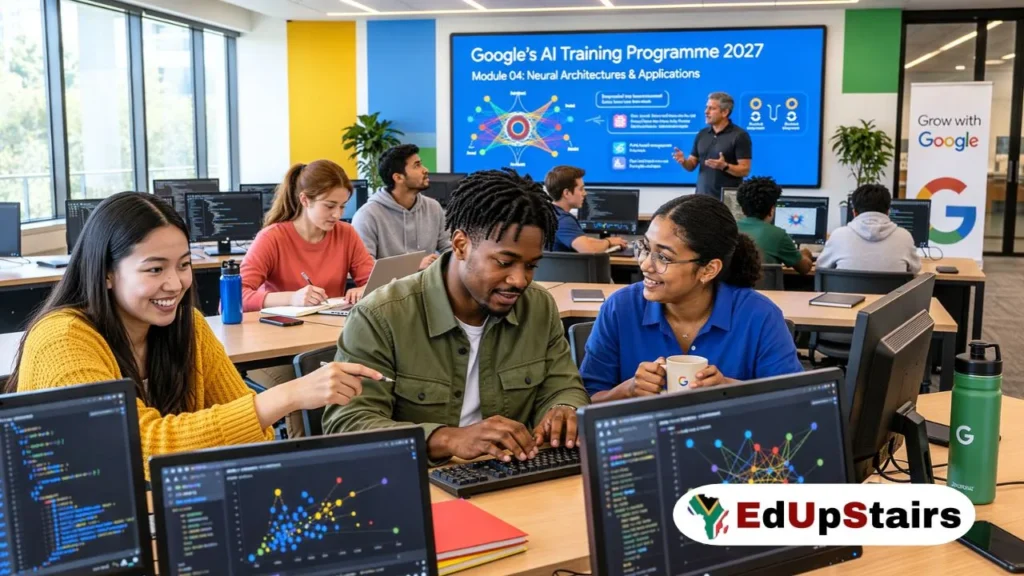
Google launched Skilling Africa with Google on 2 November 2026. The new learning hub brings together digital and AI training for learners across Africa, including South Africans. Google describes the platform as free and open to everyone.
This guide explains how to start, choose a suitable learning area, use the advertised offline features and turn your learning into useful practice. It also explains what to check when a course directs you to a separate provider or certification option.
Start here: open the official Skilling Africa with Google learning hub. Read Google’s official launch announcement for the programme background.
01SECTION 1 · 1 MIN READQuick overview: Google’s new free learning hubDetail What learners should know Platform Skilling Africa with Google Launch 2 November 2026 Access Browser-based learning with Google Account sign-in…
| Detail | What learners should know |
|---|---|
| Platform | Skilling Africa with Google |
| Launch | 2 November 2026 |
| Access | Browser-based learning with Google Account sign-in |
| Cost | The hub is advertised as free; check separate provider and credential terms when following external course links. |
| Learning areas | AI, data, web development, digital marketing, cloud and cybersecurity |
| Study format | Short lessons and flexible learning; full course lengths vary. |
| Connectivity | Mobile-friendly design and downloadable lessons for offline study, where offered |
| Closing date | No general enrolment closing date was published in the official sources checked. |
| Official starting point | Start learning through Skilling Africa with Google |
The public learning hub advertises more than 175 free courses. Its catalogue can change, so choose from the options available when you sign in rather than relying on a fixed course count.
02SECTION 2 · 1 MIN READWho can use the hub in South Africa?Google presents the hub as open across Africa to people developing their skills, including students, entrepreneurs and developers. South African readers…
Google presents the hub as open across Africa to people developing their skills, including students, entrepreneurs and developers. South African readers can access it through the official platform linked from Grow with Google’s Africa website.
The public entry information checked does not set a South African bursary-style requirement such as unemployment, a Matric certificate or an 18–35 age band. Individual courses can still have prerequisites, and Google Account terms apply.
Choose according to your starting point:
- New to digital learning: begin with an introductory course and practise one task at a time.
- Preparing for employment: choose a skill connected to the work you want to do.
- Studying at a TVET college or university: use a course to support your existing studies and practical projects.
- Running a small business: consider marketing, data or AI tasks you can apply to a specific business problem.
- Already technically experienced: inspect the level and prerequisites before selecting cloud or machine-learning content.
If you are uncertain about your direction, start with Edupstairs Career Discovery and compare a few options in the Career and Qualification Explorer.
03SECTION 3 · 1 MIN READChoose your first skill: six areas to exploreThe hub lists the following learning areas. The practice ideas are Edupstairs suggestions, not compulsory Google assessments or promises of professional…
Explore a skill area
Search the published field list or compare up to two. The subject-area groups are for browsing only; they are not employer eligibility criteria. Check the official study-field and institution rules.
6 listed fields
Explore prompting, language models and applied AI; practise checking the output.
Explore related career information ↗Explore data literacy, SQL and dashboards; create a small sample-data exercise.
Explore related career information ↗Explore HTML and application development; begin with an appropriately simple project.
Explore related career information ↗Explore content, search visibility and measurement for a defined audience.
Explore related career information ↗Inspect the level and requirements before starting technical cloud activities.
Explore related career information ↗Develop security awareness and practise recognising suspicious messages.
Explore related career information ↗The hub lists the following learning areas. The practice ideas are Edupstairs suggestions, not compulsory Google assessments or promises of professional competence.
| Learning area | What to explore | A small practice idea |
|---|---|---|
| AI and machine learning | Prompting, language models and applied AI concepts | Write a clear prompt for a fictional task, check the answer and explain what you corrected. |
| Data and analytics | Data literacy, SQL and dashboards | Use a small invented sales table to calculate totals and create one clearly labelled chart. |
| Web development | HTML and website/application development | Create a simple practice page describing a fictional service. |
| Digital marketing | Content, search visibility and measurement | Draft a one-week content plan for an imaginary local business, with a clear audience and goal. |
| Cloud and infrastructure | Cloud concepts and scalable systems | Explain, in your own words, how an example service stores and accesses information. |
| Cybersecurity | Security awareness, networks and threats | Create a short checklist for spotting suspicious messages and protecting accounts. |
Explore these areas inside the official course catalogue. Pick one that connects to a task you genuinely want to perform. You can broaden your learning after completing a useful first piece of work.
04SECTION 4 · 1 MIN READWhat is free, and what should you check separately?Google’s regional AI learning page describes the new Africa hub as free. It also explains that Google’s wider collection of learning…
Advertised access and course-specific conditions
Filter what the official notice confirms. Exact amounts or contract terms should be checked with the funder.
Google advertises Skilling Africa with Google as free.
Use supported downloads while connected. Do not assume every linked service works offline.
Depends on the selected course and completion requirements. Separate professional certification may involve an exam.
No general entitlement was announced in the official sources checked.
No items in this category.
Google’s regional AI learning page describes the new Africa hub as free. It also explains that Google’s wider collection of learning resources contains both free and paid options.
Keep the selected course’s terms in view. Access to the Africa hub does not, by itself, establish that every separately offered professional certificate, cloud lab, subscription or certification examination is free.
- Hub learning: start with the resources advertised as free within the programme.
- External course platforms: read any enrolment, trial, subscription and certificate terms before continuing.
- Cloud learning: check the current Google Skills access and subscription options if a course involves separate labs or credits.
- Credentials: confirm what you earn and which activities or assessments are required.
- Connectivity: free course access does not remove your normal device or internet costs.
If a linked destination requests payment, pause and read what that charge covers. You may be looking at a different course, expanded access or a separate credential. Return to the free learning options if that is the route you intend to use.
05SECTION 5 · 1 MIN READBefore you register: account access and documentsHave these practical essentials ready: A Google Account you can access and protect. A smartphone, tablet or computer with a working…
Have these practical essentials ready:
- A Google Account you can access and protect.
- A smartphone, tablet or computer with a working browser.
- An internet connection for sign-in, browsing and initial downloads.
- A clear learning goal and a realistic time slot.
- Space to save notes, practice work and any credential you earn.
- A quick check of the selected course’s prerequisites and conditions.
The public hub information does not publish a general document-upload checklist. Follow the instructions shown on the official site for your selected course; avoid sending personal documents to someone who merely claims they can register you.
Edupstairs advice: decide what you want to be able to do at the end of your first week. “Understand basic AI terminology and complete one practice task” is a manageable starting goal. Adjust it to your experience and available time.
06SECTION 6 · 1 MIN READHow to apply: sign up and start learningUse this practical walkthrough with the official Skilling Africa with Google website. Screen wording may change; the steps below follow the…
Tick steps for your own planning. This does not submit an application.
Turn registration into learning
What should you check before starting a course?
Use this practical walkthrough with the official Skilling Africa with Google website. Screen wording may change; the steps below follow the advertised access and learning features.
- Open the official hub in your browser. Google says no separate app-store download is needed to start.
- Use the Google sign-in option. Sign in with an account you control and complete any prompts shown.
- Choose a learning area. Match it to your experience and the task you want to learn.
- Read the course details. Check the level, activities, completion requirements and any external provider conditions.
- Start the first lesson. Take short notes and attempt the practice activities yourself.
- Use downloads where offered. Save supported lessons while connected if you want to study offline later.
- Review your progress. Return to unfinished activities and check what remains before completion.
- Save the evidence you earn. Record the exact course title and any badge, certificate or practice project completed.
Signing in is the beginning. Give yourself a small completion target for the same session so that your first visit leads to actual learning.
07SECTION 7 · 1 MIN READStudying with limited data: use the advertised offline featuresIn its launch announcement, Google describes downloadable short lessons, low-bandwidth design and support for entry-level smartphones. It also introduces SCOUT, a…
Use offline access accurately
Does downloadable lesson access mean every cloud lab and AI feature works offline?
In its launch announcement, Google describes downloadable short lessons, low-bandwidth design and support for entry-level smartphones. It also introduces SCOUT, a study companion that can offer explanations and help with learning plans.
For a practical routine, open the selected lesson while connected, use its download option where available, and check that you can access the saved material before leaving Wi-Fi coverage. Keep your own notes so you can revise without reopening every page.
Offline lesson access should not be treated as a promise that every linked service, AI interaction or cloud activity works without connectivity. Check the requirements of the particular activity. Nor does a mobile-friendly service mean every coding or data task will be equally comfortable on a small screen.
A useful habit: finish a short session by writing three points you understood and one question to revisit. Use available learning support to clarify the question, then test your understanding with another example.
08SECTION 8 · 1 MIN READThree additional official Google AI learning optionsThe following are separate Google Skills resources linked from Google’s regional AI learning information. They are useful supplementary choices; their pages…
The following are separate Google Skills resources linked from Google’s regional AI learning information. They are useful supplementary choices; their pages are not verified individual course pages inside the new Africa hub.
| Resource | Why you might choose it | What to check |
|---|---|---|
| Introduction to Generative AI | An introductory explanation of generative AI, its uses and how it differs from traditional machine learning. | The course page advertises a badge. Check the activities and requirements shown in your account. |
| AI Boost Bites | Short expert videos with practical challenges related to using AI tools. | Complete the practice challenges and inspect any tool access required for an activity. |
| Generative AI Leader learning path | A route for exploring how organisations can use generative AI. | The learning path prepares learners for a separate certification examination; completing the path is not the same as passing that exam. |
Google’s regional page marks these learning options as available at no charge. Check current conditions at the destination, especially before purchasing an examination or optional tool access.
09SECTION 9 · 1 MIN READA seven-day starter plan you can adaptThis is an Edupstairs practice plan, not a promise that a complete Google programme takes seven days. Choose a pace that…
Build evidence through practice
Which output would help you explain what you learned?
This is an Edupstairs practice plan, not a promise that a complete Google programme takes seven days. Choose a pace that fits your starting point.
| Day | Action | Evidence to keep |
|---|---|---|
| 1 | Choose one skill area and start an introductory lesson. | Your learning goal and course title. |
| 2 | Continue learning and explain the main ideas in your own words. | A short set of notes. |
| 3 | Attempt an exercise without copying the explanation. | Your attempt and the parts you found difficult. |
| 4 | Review mistakes and repeat the task with a different example. | A corrected version and a brief explanation. |
| 5 | Build a small practice project using invented or public information. | The project file or screenshots. |
| 6 | Check the project for accuracy, clarity and missing steps. | A short review checklist. |
| 7 | Describe what you learned and select your next task. | An honest portfolio or CV entry, if ready. |
For AI practice, check important claims in the output and explain your corrections. Use fictional examples instead of uploading someone’s private information. Follow your institution’s or workplace’s rules when using AI in assessed or professional work.
10SECTION 10 · 1 MIN READTurn learning into an honest CV entry and a useful exampleA course title is more informative when you can explain what you practised. Use the Edupstairs ATS CV Assistant to organise…
Describe credentials accurately
You have started a course but have not completed it. How should you describe it?
A course title is more informative when you can explain what you practised. Use the Edupstairs ATS CV Assistant to organise your completed training and projects clearly.
Example format to adapt only after doing the work:
Additional training: [Exact course title], [issuing platform], completed [month and year].
Practice project: Created [specific output] using [tools or methods]. Checked [accuracy or quality steps] and documented [what you learned].
Credential: [Exact badge or certificate name and verification link, if issued].
If you are still studying, label the course as in progress. Distinguish a course completion badge, a certificate and a separately assessed professional certification. Do not describe a short course as a degree or South African NQF qualification without confirmation of that exact recognition.
Keep your practice work available for discussion. Be ready to explain the problem, the steps you took, one mistake you corrected and what you would improve next. Training can support your development, but it does not guarantee employment or a Google job.
11SECTION 11 · 1 MIN READConnect your learning: the Edupstairs internal-link clusterGive your first course a place in a broader study or career plan. These tools can help you research that plan:…
Give your first course a place in a broader study or career plan. These tools can help you research that plan:
| Your question | Edupstairs resource |
|---|---|
| Which direction matches my interests? | Career Discovery |
| Which qualifications connect to that career? | Career and Qualification Explorer |
| Which university options should I research? | University Explorer |
| Which TVET routes could suit my goals? | TVET College Explorer |
| What occupations and skills can I investigate? | National Skills Intelligence Explorer |
| Which sector training pathways should I explore? | SETA Platform |
| How can I present completed training and projects? | Create an ATS CV |
| What funding criteria apply to further formal study? | Bursary and NSFAS Eligibility Checker |
Use the university and TVET resources to compare formal programmes, then confirm entry requirements directly with the institution. A short online course can help you explore a subject before deciding on a longer qualification.
12SECTION 12 · 1 MIN READLatest bursary articles and related digital-learning guidesThe latest entries checked in the Edupstairs bursary section on 23 November 2026 included the first two programmes below. These concern…
The latest entries checked in the Edupstairs bursary section on 23 November 2026 included the first two programmes below. These concern further study; you do not need a bursary to access the advertised free Google hub.
- Two Rivers Platinum Mine Bursary Programme 2027 — published 20 November; closes 16 January 2027. Its specified fields include Information Technology, with qualification and university admission conditions.
- LGSETA Bursary Programme 2027 — published 20 November; closes 10 December 2026 at 23:59. Check its applicant and approved-qualification requirements.
- PSiRA External Bursary Programme 2027 — related opportunity published 18 November; closes 31 December 2026. Check the restricted applicant group and acceptance requirements.
For more learning ideas, explore these older Edupstairs guides:
- Data analytics: mining and analysis of big data — published 28 June 2025.
- Machine learning with Python — published 26 June 2025.
- Cybersecurity course guide — published 31 July 2025.
The older guides concern other providers, not the new Google hub. Check the provider’s current access conditions, certificate charges and exact credential before enrolling. A provider’s use of the word “diploma” does not by itself establish South African NQF accreditation.
13SECTION 13 · 2 MIN READFrequently asked questionsWhat is Google’s new free learning hub called? Skilling Africa with Google. It launched across Africa on 2 November 2026. Can…
What is Google’s new free learning hub called?
Skilling Africa with Google. It launched across Africa on 2 November 2026.
Can South Africans use it?
Yes. The continent-wide launch and Google’s regional Africa website direct learners to the hub.
Do I need a degree to start?
The public hub does not advertise a general degree requirement. Choose introductory content if you are a beginner and check the selected course’s prerequisites.
Can I learn on my phone?
Google describes a mobile-friendly service designed for low-bandwidth use. Some practical tasks may be easier on a computer.
Can I study offline?
Google advertises downloadable short lessons. Use downloads where offered and check which activities still need connectivity.
Will every course give me the same certificate?
No single credential should be assumed for every activity. Read the selected course’s completion and assessment requirements.
Is there an application deadline?
No general enrolment deadline was published in the official information checked. Individual events or separate programmes may have their own dates.
Will Google pay me a stipend or provide a laptop?
No general stipend, device or data-bundle entitlement was identified in the sources used for this guide.
Can the Edupstairs funding checker register me for Google training?
No. Register through the official Google hub. The funding checker supports research into separate study-funding criteria.
14SECTION 14 · 1 MIN READYour next step: complete one useful learning taskChoose one skill, open an introductory lesson and make time to practise it. Keep the example you create so you can…
Choose one skill, open an introductory lesson and make time to practise it. Keep the example you create so you can return to it, improve it and explain it in your own words.
Start with the official Skilling Africa with Google learning hub. Give yourself a realistic first-session target and record what you completed.
Source and editorial note: launch information comes from Google’s announcement; learning access and cost distinctions are supported by Google’s regional AI training information and the individual course pages linked above. The seven-day plan, project ideas and CV example are Edupstairs guidance. Exact course availability, credential conditions and external provider terms must be checked when enrolling.
Use the programme selector, eligibility checker and application centre whenever you are ready.